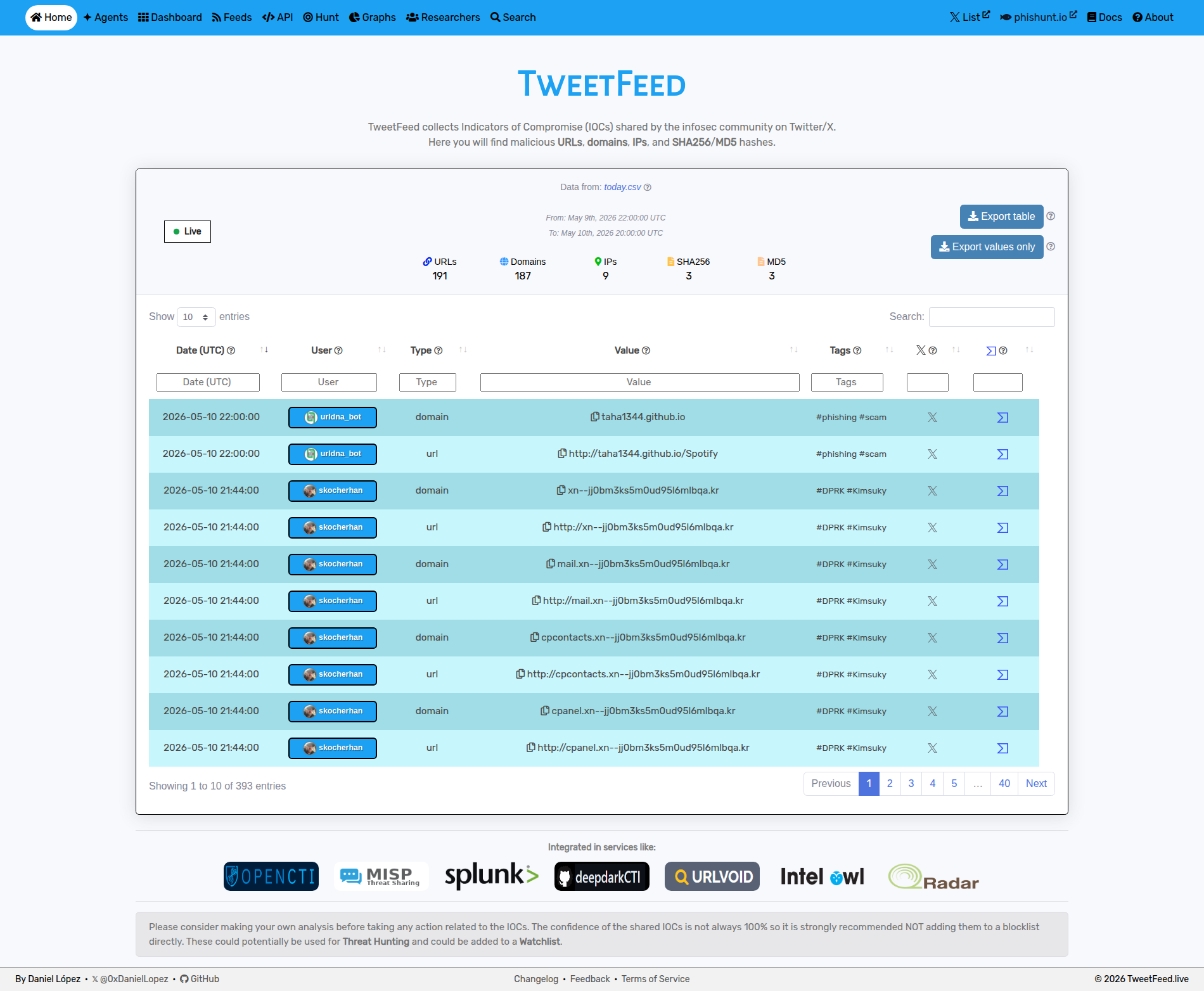
- Data collected
- Programmatic access
- Some statistics
- How it works
- Use TweetFeed in your stack
- Agent-ready surface
- License
- Author
- Disclaimer
Everything in the dynamic blocks below (date, type counters, top tags, top reporters, output example) is regenerated by the pipeline every 15 minutes. Hand-written sections are stable.
If you like the project, please consider:
- Giving it a star ⭐
- Invite to a coffee ☕
| 2026-05-21 07:15:21 (UTC) | |||
|---|---|---|---|
| Today | Last 7 days | Last 30 days | Last 365 days |
| 📋 Today (raw) | 📋 Week (raw) | 📋 Month (raw) | 📋 Year (raw) |
| Format | URL | Notes |
|---|---|---|
| RSS 2.0 | rss.xml | Today's IOCs (regenerated every 15 min) |
| MISP | misp/manifest.json | 4 events (today / week / month / year). Add as a feed in MISP via Sync Actions → Feeds → Add. |
| STIX 2.1 | stix/manifest.json | Bundles for today / week / month |
| Surface | URL | Use case |
|---|---|---|
| REST API | api.tweetfeed.live | JSON, no auth, CORS enabled. /v1/{today,week,month,year}[/{type}[/{tag}]] |
| MCP server | mcp.tweetfeed.live | JSON-RPC 2.0 endpoint exposing 8 tools (query_iocs, check_url, check_ip, check_hash, list_recent_iocs, get_tag_info, get_trending, enrich_ioc) for Claude / AI agents |
See tweetfeed.live/agents/ for the copy-paste MCP config and full tool reference.
| Type | Today | Week | Month | Year |
|---|---|---|---|---|
| 🔗 URLs | 11 | 1464 | 4813 | 57990 |
| 🌐 Domains | 10 | 1337 | 4207 | 39865 |
| 🚩 IPs | 2 | 119 | 606 | 15168 |
| 🔢 SHA256 | 1 | 82 | 304 | 1334 |
| 🔢 MD5 | 0 | 35 | 138 | 2922 |
| Tag | Today | Week | Month | Year |
|---|---|---|---|---|
| #phishing | 17 | 950 | 2974 | 44269 |
| #C2 | 0 | 28 | 177 | 23557 |
| #scam | 2 | 45 | 268 | 7451 |
| #CobaltStrike | 0 | 3 | 7 | 6475 |
| #Kimsuky | 0 | 1438 | 4526 | 6162 |
| #malware | 2 | 41 | 320 | 4509 |
| #DPRK | 0 | 1421 | 4403 | 4403 |
| #Interactsh | 0 | 0 | 0 | 2156 |
| #APT | 0 | 28 | 221 | 1844 |
| #Remcos | 0 | 0 | 23 | 1758 |
The full catalog of 120 tags with per-tag landing pages and CSV exports lives at tweetfeed.live/tags/.
| Number | User | IOCs |
|---|---|---|
| #1 | masaomi346 | 12 |
| #2 | Metemcyber | 5 |
| #3 | smica83 | 3 |
| #4 | skocherhan | 2 |
| #5 | JAMESWT_WT | 2 |
| #6 | - | 0 |
| #7 | - | 0 |
| #8 | - | 0 |
| #9 | - | 0 |
| #10 | - | 0 |
Search tweets that contain certain tags or that are posted by certain infosec people.
#phishing, #C2, #scam, #CobaltStrike, #Kimsuky, #malware, #DPRK,
#Interactsh, #APT, #Remcos
The full list of 120 tags lives at tweetfeed.live/tags/.
TweetFeed list
TweetFeed publishes the same data in CSV / JSON / RSS / MISP / STIX so you can wire it into whichever SIEM, EDR, or TIP you already run. Examples below default to year.csv (1-year window); swap to month.csv / week.csv / today.csv to keep the dataset smaller.
Microsoft Defender XDR / Sentinel (KQL via externaldata)
1. Match SHA256 hashes against the yearly feed
let MaxAge = ago(30d);
let SHA256_whitelist = pack_array(
'XXX' // Some SHA256 hash you want to whitelist.
);
let TweetFeed = materialize (
    (externaldata(report:string)
    [@"https://raw.githubusercontent.com/0xDanielLopez/TweetFeed/master/year.csv"]
    with (format = "txt"))
    | extend report = parse_csv(report)
    | extend Type = tostring(report[2])
    | where Type == 'sha256'
    | extend SHA256 = tostring(report[3])
    | where SHA256 !in(SHA256_whitelist)
    | extend Tag = tostring(report[4])
    | extend Tweet = tostring(report[5])
    | project SHA256, Tag, Tweet
);
union (
    TweetFeed
    | join (
        DeviceProcessEvents
        | where Timestamp > MaxAge
    ) on SHA256
), (
    TweetFeed
    | join (
        DeviceFileEvents
        | where Timestamp > MaxAge
    ) on SHA256
), (
    TweetFeed
    | join (
        DeviceImageLoadEvents
        | where Timestamp > MaxAge
    ) on SHA256
) | project Timestamp, DeviceName, FileName, FolderPath, SHA256, Tag, Tweet
2. Match IP addresses against the monthly feed
let MaxAge = ago(30d);
let IPaddress_whitelist = pack_array(
'XXX' // Some IP address you want to whitelist.
);
let TweetFeed = materialize (
    (externaldata(report:string)
    [@"https://raw.githubusercontent.com/0xDanielLopez/TweetFeed/master/month.csv"]
    with (format = "txt"))
    | extend report = parse_csv(report)
    | extend Type = tostring(report[2])
    | where Type == 'ip'
    | extend RemoteIP = tostring(report[3])
    | where RemoteIP !in(IPaddress_whitelist)
    | where not(ipv4_is_private(RemoteIP))
    | extend Tag = tostring(report[4])
    | extend Tweet = tostring(report[5])
    | project RemoteIP, Tag, Tweet
);
union (
TweetFeed
    | join (
        DeviceNetworkEvents
    | where Timestamp > MaxAge
    ) on RemoteIP
) | project Timestamp, DeviceName, RemoteIP, Tag, Tweet
3. Match URLs and domains against the weekly feed
let MaxAge = ago(30d);
let domain_whitelist = pack_array(
'XXX' // Some URL/Domain you want to whitelist.
);
let TweetFeed = materialize (
    (externaldata(report:string)
    [@"https://raw.githubusercontent.com/0xDanielLopez/TweetFeed/master/week.csv"]
    with (format = "txt"))
    | extend report = parse_csv(report)
    | extend Type = tostring(report[2])
    | where Type in('url','domain')
    | extend RemoteUrl = tostring(report[3])
    | where RemoteUrl !in(domain_whitelist)
    | extend Tag = tostring(report[4])
    | extend Tweet = tostring(report[5])
    | project RemoteUrl, Tag, Tweet
);
union (
TweetFeed
    | join (
        DeviceNetworkEvents
    | where Timestamp > MaxAge
    ) on RemoteUrl
) | project Timestamp, DeviceName, RemoteUrl, Tag, Tweet
The same KQL works in Microsoft Sentinel if you replace DeviceProcessEvents / DeviceNetworkEvents with the equivalent Sentinel tables (SecurityEvent, CommonSecurityLog, etc.).
Splunk (SPL with inputlookup after CSV import, or rest for ad-hoc fetch)
Schedule a recurring CSV import via the Add-on Builder or the inputs.conf REST modular input. Then:
index=firewall earliest=-30d
| join dest_ip [
    | inputlookup tweetfeed_iocs.csv
    | where Type="ip"
    | rename Value AS dest_ip
    | fields dest_ip, Tags, Tweet
]
| stats count by src_ip, dest_ip, Tags
For proxy / DNS logs vs. URLs and domains:
index=proxy sourcetype=zscaler earliest=-7d
| join url [
    | inputlookup tweetfeed_iocs.csv
    | where Type IN ("url","domain")
    | rename Value AS url
    | fields url, Tags, Tweet
]
| table _time, src, dest, url, Tags, Tweet
For process-execution hashes:
index=endpoint sourcetype=Sysmon EventCode=1 earliest=-30d
| eval hash=lower(Hashes)
| join hash [
    | inputlookup tweetfeed_iocs.csv
    | where Type IN ("sha256","md5")
    | rename Value AS hash
    | fields hash, Tags, Tweet
]
| table _time, host, Image, hash, Tags, Tweet
Elastic Security / OpenSearch (Filebeat threatintel module + indicator-match rule)
Add the MISP feed to your filebeat.yml:
- module: threatintel
  misp:
    enabled: true
    var.url: "https://raw.githubusercontent.com/0xDanielLopez/TweetFeed/master/misp/manifest.json"
    var.interval: 15m
Then create an indicator-match rule mapping your data to the threat fields:
| Source field | Threat field |
|---|---|
destination.ip |
threat.indicator.ip |
url.full |
threat.indicator.url.full |
dns.question.name |
threat.indicator.url.domain |
file.hash.sha256 |
threat.indicator.file.hash.sha256 |
file.hash.md5 |
threat.indicator.file.hash.md5 |
Tags + tweet URLs are preserved as enrichment fields on each match (threat.indicator.description, threat.indicator.reference).
For OpenSearch the same approach works via the Security Analytics threat intel framework using the STIX bundles at stix/manifest.json.
MISP / OpenCTI / TheHive (threat intel platforms)
| TIP | How to add TweetFeed |
|---|---|
| MISP | Sync Actions → Feeds → Add with URL https://raw.githubusercontent.com/0xDanielLopez/TweetFeed/master/misp/manifest.json (4 events: today / week / month / year, regenerated every 15 min). |
| OpenCTI | Use the official tweetfeed connector. |
| TheHive 5 | Import the STIX bundles at https://raw.githubusercontent.com/0xDanielLopez/TweetFeed/master/stix/manifest.json via the MISP-Hive connector or directly through the API. |
CLI / scripting (curl + jq, Python)
Pull today's phishing URLs:
curl -s 'https://api.tweetfeed.live/v1/today/phishing/url' | jq -r '.[].value'Cross-check a hash against the year window:
HASH=XXX  # any SHA256 you want to look up
curl -s 'https://raw.githubusercontent.com/0xDanielLopez/TweetFeed/master/year.csv' \
  | awk -F, -v h="$HASH" '$3=="sha256" && $4==h'
Pandas one-liner — top 20 IPs reported in the last year:
import pandas as pd
df = pd.read_csv('https://raw.githubusercontent.com/0xDanielLopez/TweetFeed/master/year.csv',
                 names=['date','user','type','value','tags','tweet'])
print(df[df.type == 'ip'].groupby('value').size().sort_values(ascending=False).head(20))
For interactive querying via Claude / AI agents, see Programmatic access above (the MCP server exposes the same data with built-in query helpers).
TweetFeed is built for consumption by AI agents and LLM-based tooling:
/.well-known/agent-skills/index.json- skill discovery (RFC v0.2.0)/.well-known/mcp/server-card.json- MCP server card (SEP-1649 draft)/llms.txt- llms.txt index/agents/- human-readable overview with copy-paste MCP config
Plug the MCP endpoint above into Claude Desktop / Claude Code / any MCP-aware client to query feeds in natural language.
The data feeds (CSV, JSON, RSS, MISP, STIX) and the public API responses are released under CC0 1.0 Universal - no rights reserved, reuse freely, no attribution required.
A primer on how to put this data to work in detection workflows lives at tweetfeed.live/docs/.
Please note that all the data is collected from Twitter/X and sorted/served here as it is on best effort.
I have tried to tune as much as possible the searches trying to collect only valuable info. However please consider making your own analysis before taking any action related to these IOCs.
Anyway feel free to reach me out or to provide any kind of feedback regarding any contribution or suggestion.
By the community, for the community.