7. Using Python for batch processing
If you followed the previous tutorial, your directories probably look like this:
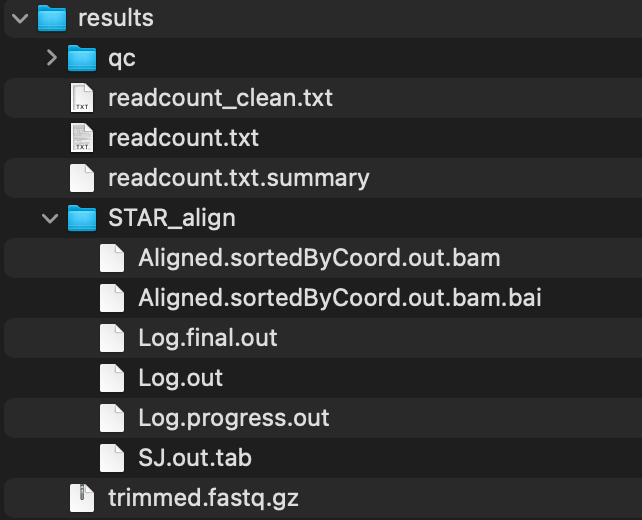
This may not be a problem if you only have 1 FastQ file to analyze, but that is probably not the case. For instance, what happens if you run the same exact commands on Terminal for multiple and different samples? The files get overwritten because the output STAR_align directory has the same name. How do we organize?
Let's look at how to organize with multiple samples. On your Terminal, enter:
cp $SEQ_HOME/fastq/sample.fastq.gz $SEQ_HOME/fastq/sample01.fastq.gz | cp $SEQ_HOME/fastq/sample.fastq.gz $SEQ_HOME/fastq/sample02.fastq.gz | cp $SEQ_HOME/fastq/sample.fastq.gz $SEQ_HOME/fastq/sample03.fastq.gz | cp $SEQ_HOME/fastq/sample.fastq.gz $SEQ_HOME/fastq/sample04.fastq.gz
You've just duplicated the sample fastq file with names sample01~sample04.
Visit the batch_tutorial repository to download batch_tutorial_simple.py. Let's place this in $SEQ_HOME directory as $SEQ_HOME/batch_tutorial_simple.py.
You can run this script by simply entering on Terminal:
python $SEQ_HOME/batch_tutorial_simple.py
After some time, your directories should look like this:
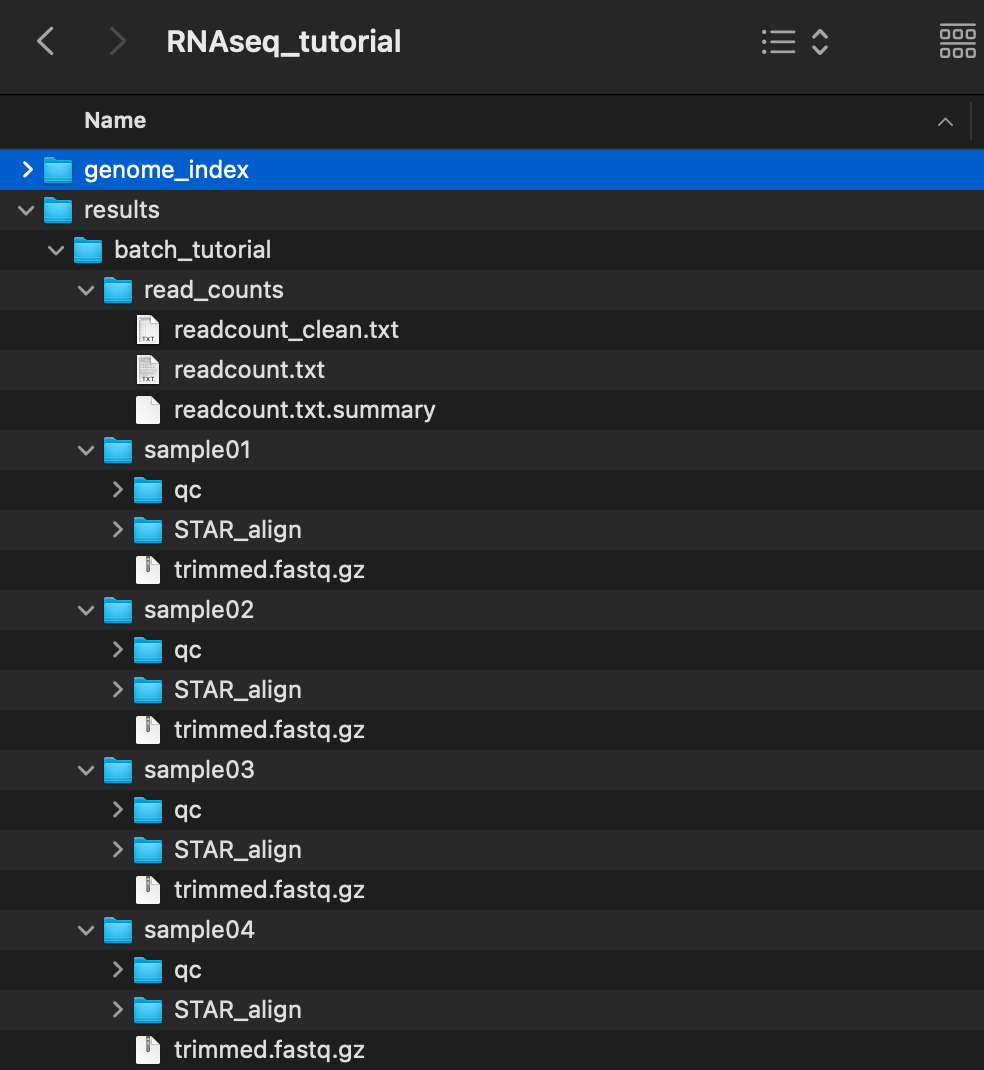
Detailed notes of what goes on in the code is described within the python file, but for visualizing, here's what happens:
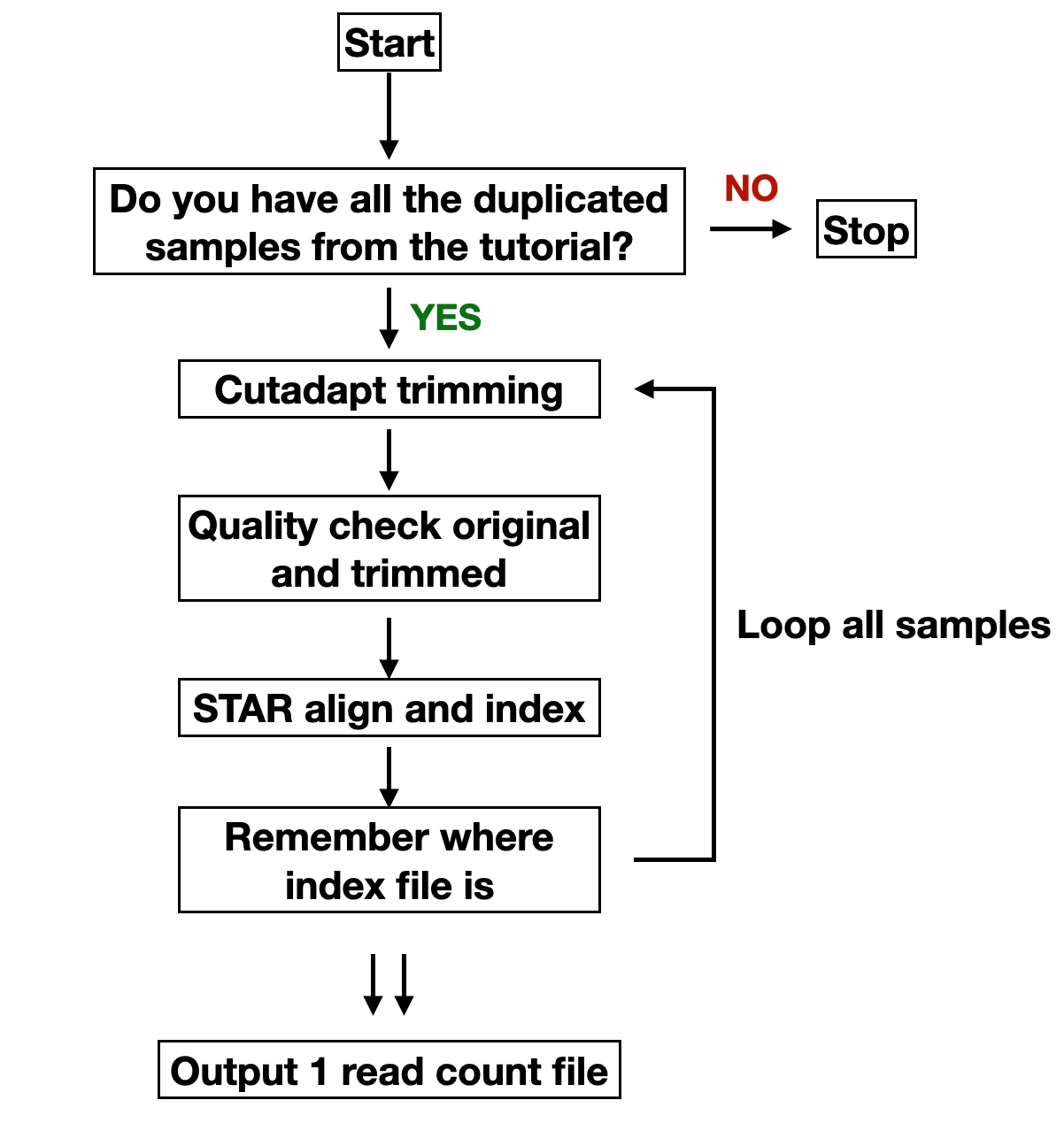
We have successfully automated for these 4 samples!
You might want to increase the number of samples, or have file names not as "sample01". I made another python file named batch_tutorial_generic.py in the batch_tutorial repository so you can try. This file assumes that:
- You followed the previous tutorial and were able to get read count from above using 4 duplicated samples
- Your fastq files have extension ".fastq.gz"
- You can place your fastq files anywhere, but you need to change the code in python, or put in
$SEQ_HOME/fastq/if you're not sure how to change
You can use this file similarly, for instance, place in $SEQ_HOME/batch_tutorial_generic.py and run on Terminal:
python $SEQ_HOME/batch_tutorial_generic.py
It will give all results in $SEQ_HOME/results/batch.