Conversation


📚 Mintlify Preview Links✨ Added (3 total)🖼️ Images (3)
📝 Changed (2 total)📄 Pages (2)
🤖 Generated automatically when Mintlify deployment succeeds |
🔗 Link Checker Results✅ All links are valid! No broken links were detected. Checked against: https://wb-21fd5541-diff-feature.mintlify.app |

|
Images automagically compressed by Calibre's image-actions ✨ Compression reduced images by 81.2%, saving 569.8 KB.
|
|
Images automagically compressed by Calibre's image-actions ✨ Compression reduced images by 6.4%, saving 8.5 KB.
|
|
Images automagically compressed by Calibre's image-actions ✨ Compression reduced images by 69.1%, saving 480.1 KB.
1 image did not require optimisation. |


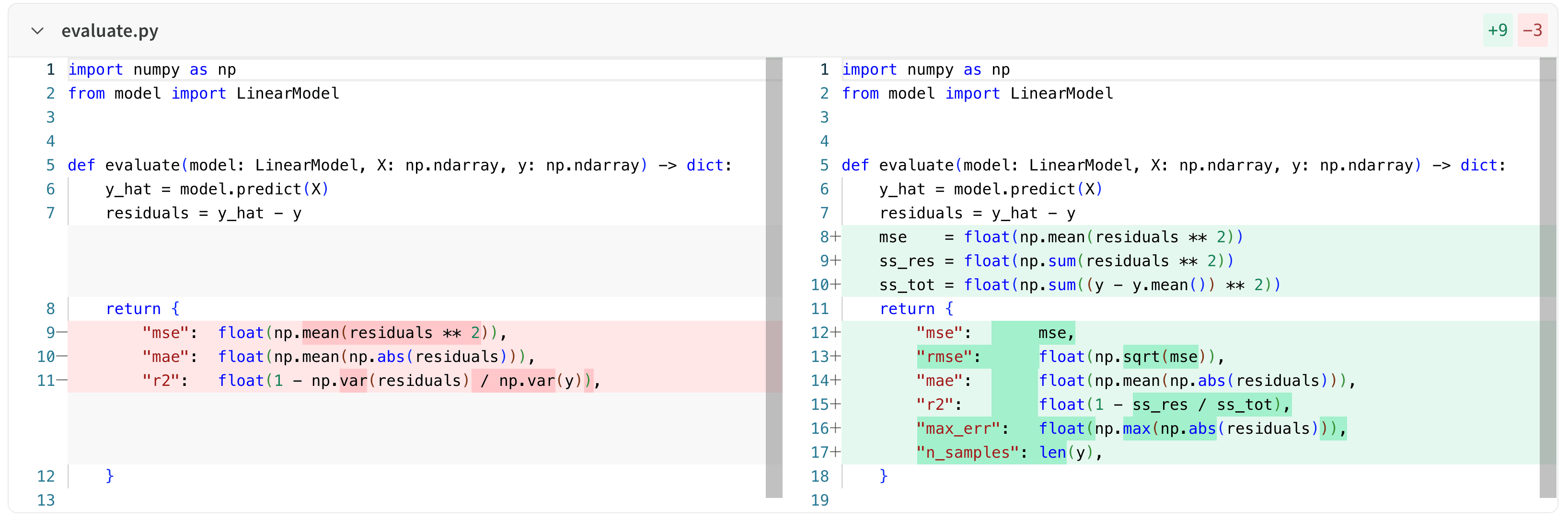
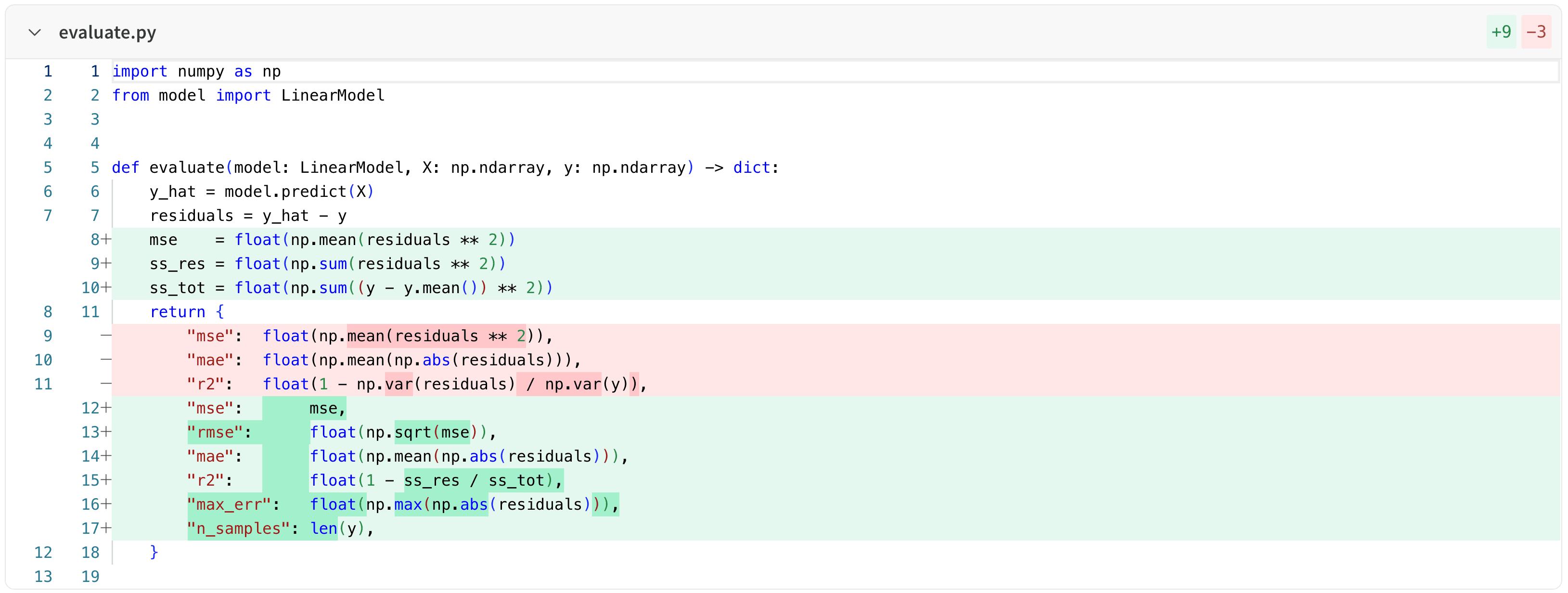
| View unstaged changes in your project workspace. | ||
|
|
||
| 1. Navigate to your project's workspace. | ||
| 2. Select the **Files** tab. |

There was a problem hiding this comment.
I'm not sure if we need to mention it, but another entry point is the "View File" button on the "Overview" tab
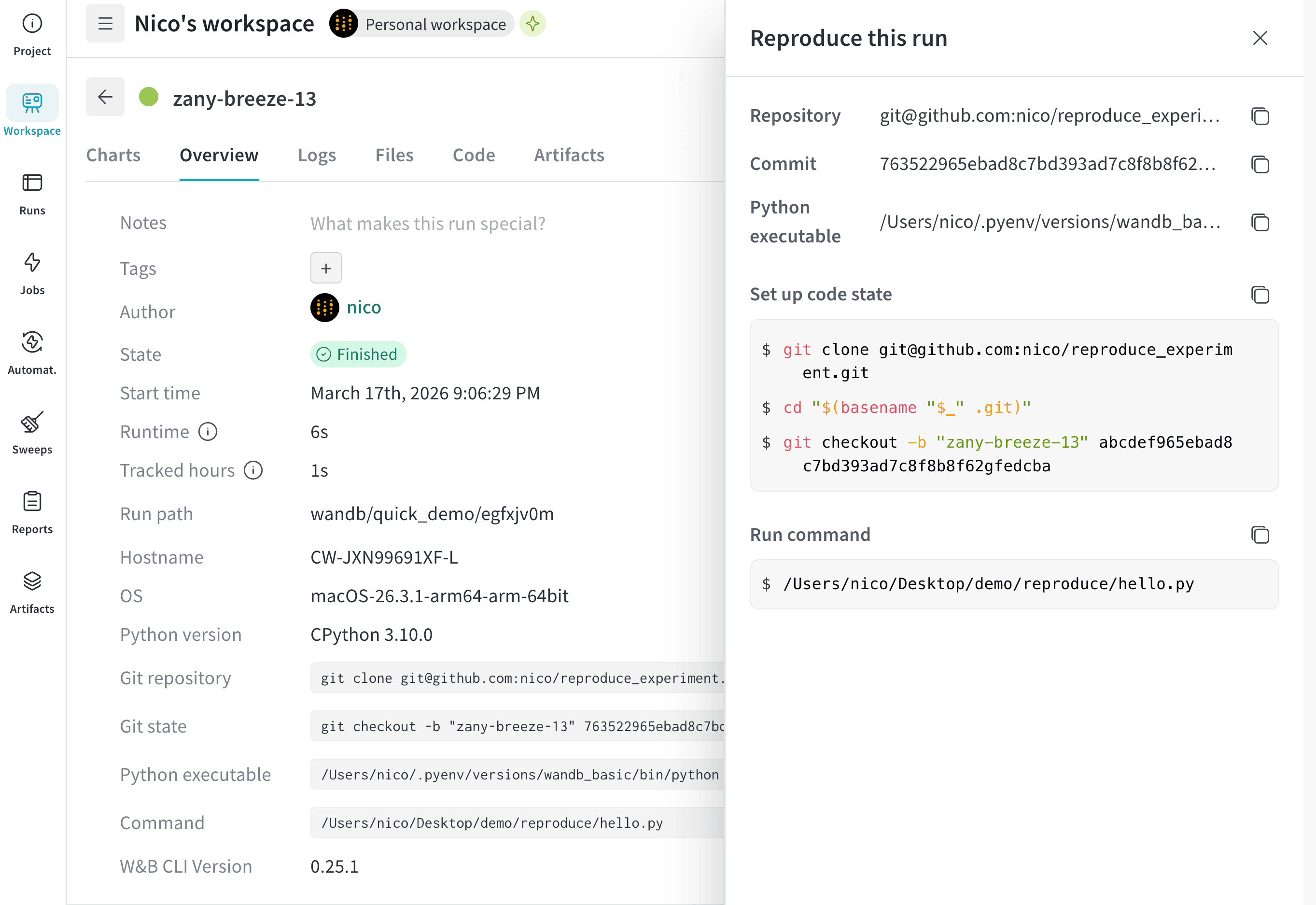
| To continue, download the experiment's code at a given hash or clone the experiment's entire repository. | ||
| 1. Select the **Workspace** tab from the project sidebar. | ||
| 1. Click the run that you want to reproduce. The run page opens with the **Overview** tab shown by default. | ||
| 1. Hover your mouse over the **Reproduce this run** button next to the **Command** field. A modal appears with steps to reproduce the experiment. It describes how to set up the code state and the the command to run the experiment. |
There was a problem hiding this comment.
@nhusher can you help review this? My understanding is that there are a number of cases where the "Reproduce" command won't work, which ideally would be mentioned in the docs
| <img src="/images/app_ui/code_comparer.png" alt="Code comparer panel" /> | ||
| </Frame> | ||
|
|
||
| ## View unstaged changes |
There was a problem hiding this comment.
Can we also mention that in addition to just viewing the uncommitted changes, you can download the diff.patch file and apply the patch to your repo? This is a common workflow. There is also the other option to "Copy file contents", which can be helpful for applying a patch to a remote machine
|
|
||
| ## View unstaged changes | ||
|
|
||
| View unstaged changes in your project workspace. |
There was a problem hiding this comment.
@nhusher just to clarify terminology, do we capture unstaged changes in the diff patch or uncommitted changes? I thought we capture uncommitted changes, which is broader than unstaged changes
2 participants


Description
Diff patch view and reproduce an experiment doc updates.
Preview
See Code for diff patch doc updates
See Reproduce experiments for reproduce experiment docs (Replicate code state tab)
Doc areas of improvment
Related issues